
Litigators
Move from the record to the point you need to make, with the matter, source material, and presentation plan in one place.
Organize a matter, find the important record, prepare exhibits, and run a clear presentation without stitching together five different tools. Built for litigators, paralegals, and trial teams.
Local-first case work · Optional on-device AI · Separate operator and audience views
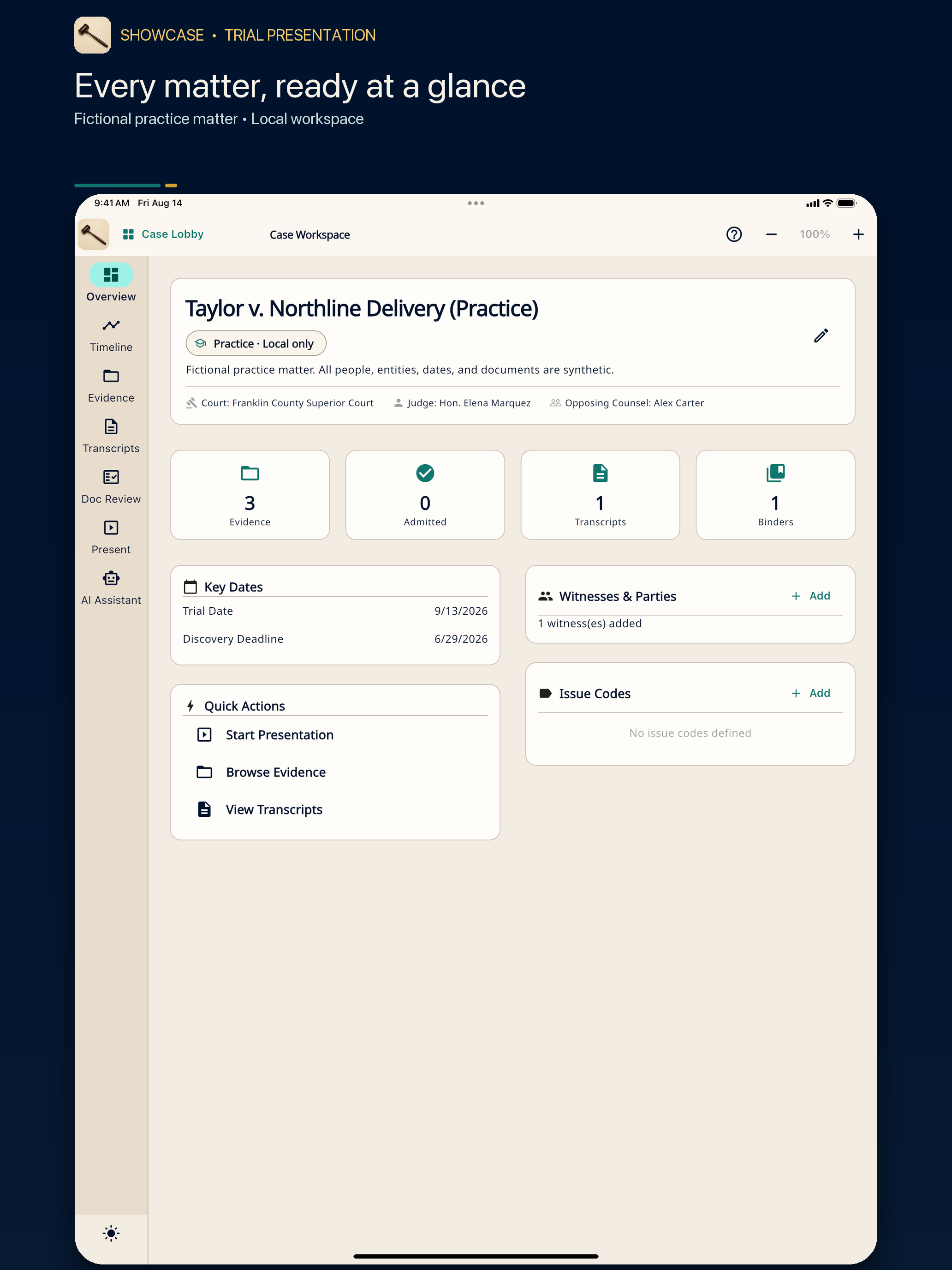
ShowCase follows the work from early organization through the moment an exhibit appears on screen.
Move from the record to the point you need to make, with the matter, source material, and presentation plan in one place.
Review documents, prepare exhibits, organize transcripts, and keep the case record findable without duplicating the same work.
Stage what the room should see while private controls, notes, and the next item stay out of the audience view.
Choose a team plan, manage members in the secure account portal, and keep billing separate from case work.
Give the case a home for evidence, transcripts, timelines, binders, and presentations.
Import and review documents, create exhibit-ready material, and connect the facts that matter.
Work across testimony, key documents, and chronology without losing the source behind the point.
Prepare the next item privately, then send only the intended content to the audience screen.
These are authentic 1.1.2 screens exported from the iOS app. No client or private firm data appears here.
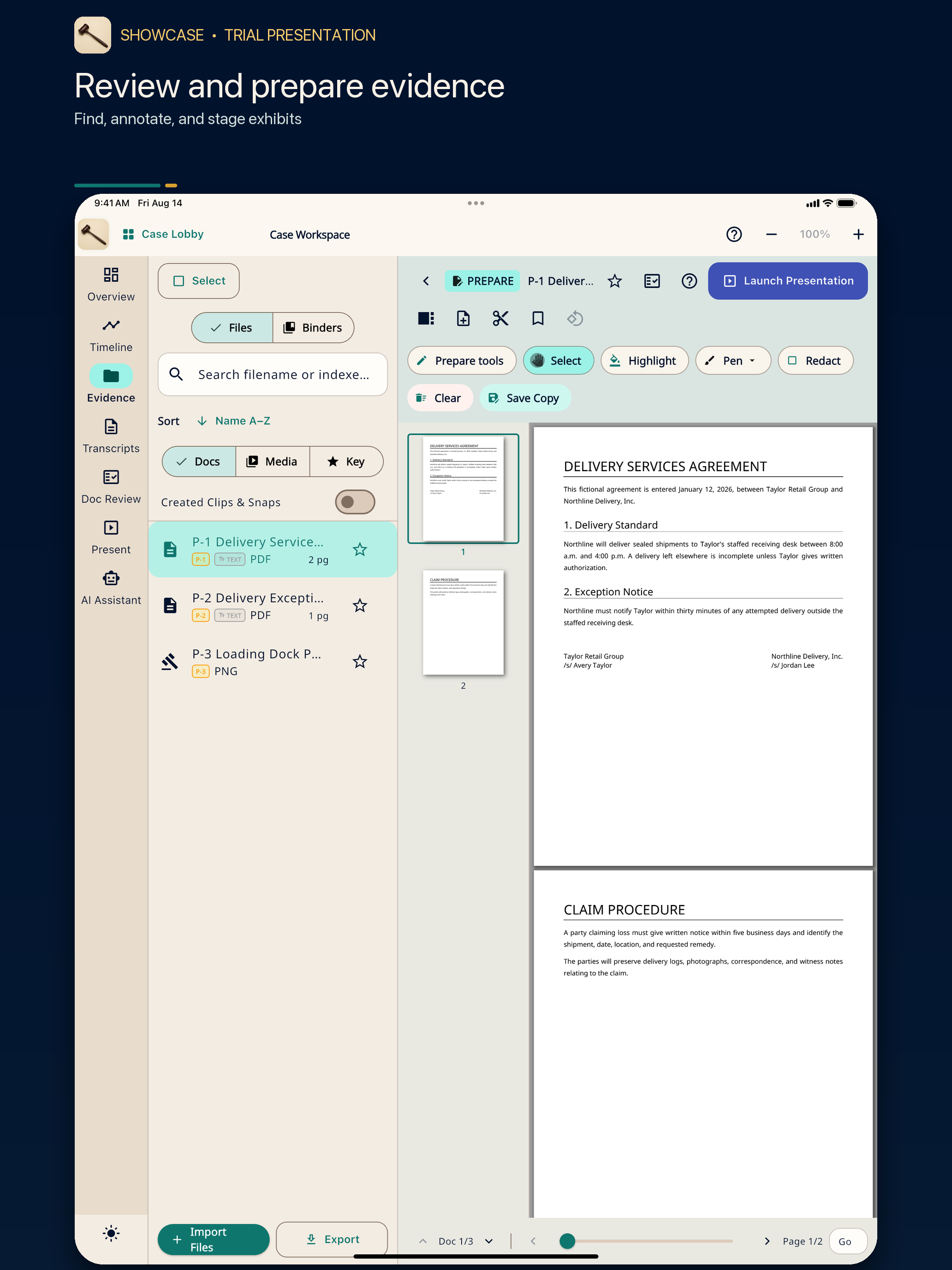
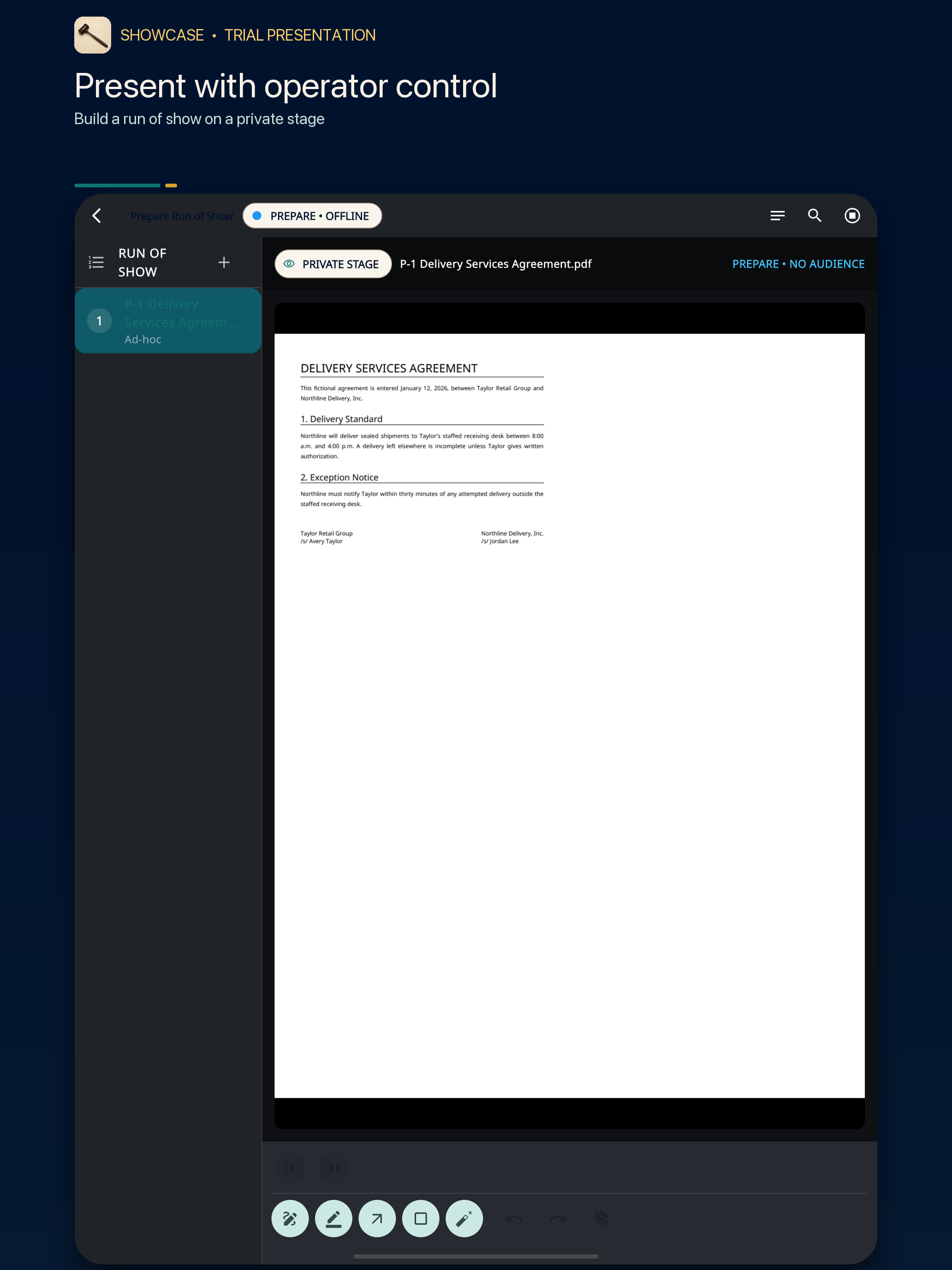
A silent tour assembled from the same authentic 1.1.2 screens—pause on any view.
Keep documents and exhibits close to the matter, with focused review and preparation tools.
Read, navigate, and use testimony alongside the rest of the case record.
Turn dates and source material into a useful case chronology.
Organize expected material, then move it into a presentation without rebuilding it.
Use on-device assistance where supported, without making remote AI a requirement for core work.
Keep private operator controls separate from the clean output shown to the room.
Core matter work does not depend on uploading a case file to a remote AI service. Optional online services are separate, and the app should make that boundary visible before information leaves the device.
Firms remain responsible for confidentiality, retention, device security, and court requirements. Review the privacy notice and terms before using non-public case material.
iPhone and iPad are available on the App Store; Android is available on Google Play. Desktop versions and official links are below. Store availability and features vary by device and region.
Version 1.1.5 · Apple Silicon + Intel · signed and notarized
Download for MacWindows 11 · x64 installer
Download installerLinux · x64 ZIP
Download for LinuxPublic App Store release. Demo Mode includes a bundled fictional practice case.
Download on the App StorePublic Google Play release. Check the store for supported devices and local purchase terms.
Get it on Google PlayRehearse on the device and audience display you plan to use in court. Check what the audience can see and keep a backup presentation ready.
Prefer a portable Windows build? Download the portable ZIP.
Web Solo starts at $19.99 per month. Eligible new web accounts can activate a one-time 30-day Solo trial with a card; the selected paid plan renews automatically unless canceled. Apple advertises a separate 14-day trial for eligible new App Store subscribers. Google Play shows the offer available to your account at checkout. Check local pricing and terms before subscribing.
$19.99/month
$125/month
$475/month
$1,575/month
Guided procurement
Use your ShowCase Legal web account for web billing and firm administration. Manage Apple and Google Play subscriptions with the original store. Uninstalling or deleting an account does not cancel a subscription.
Yes. Demo Mode provides a bundled fictional practice case and tutorials in supported builds, including the public Apple release and macOS 1.1.5. It is separate from subscription trials. Importing real evidence requires a trial, pilot, or paid entitlement.
Core matter work is local-first. Optional online features are separate and should disclose when data would leave the device.
Yes. iPhone and iPad are available on the App Store, and Android is available on Google Play. Use the official store links above; availability depends on your region and device.
Use the secure ShowCase Legal account portal for web subscriptions and firm administration. Manage a subscription with the provider used for purchase; App Store and Google Play subscriptions are managed through those stores.
Explore the fictional practice matter where supported. Find the latest platform status, web plans, and release notes on the primary ShowCase Legal website.